Digital SAT Math: The Ultimate Desmos Calculator Guide
Master the integrated Desmos graphing calculator for the Digital SAT. Learn how to solve systems, extract roots, perform regressions, and apply graphing hacks.
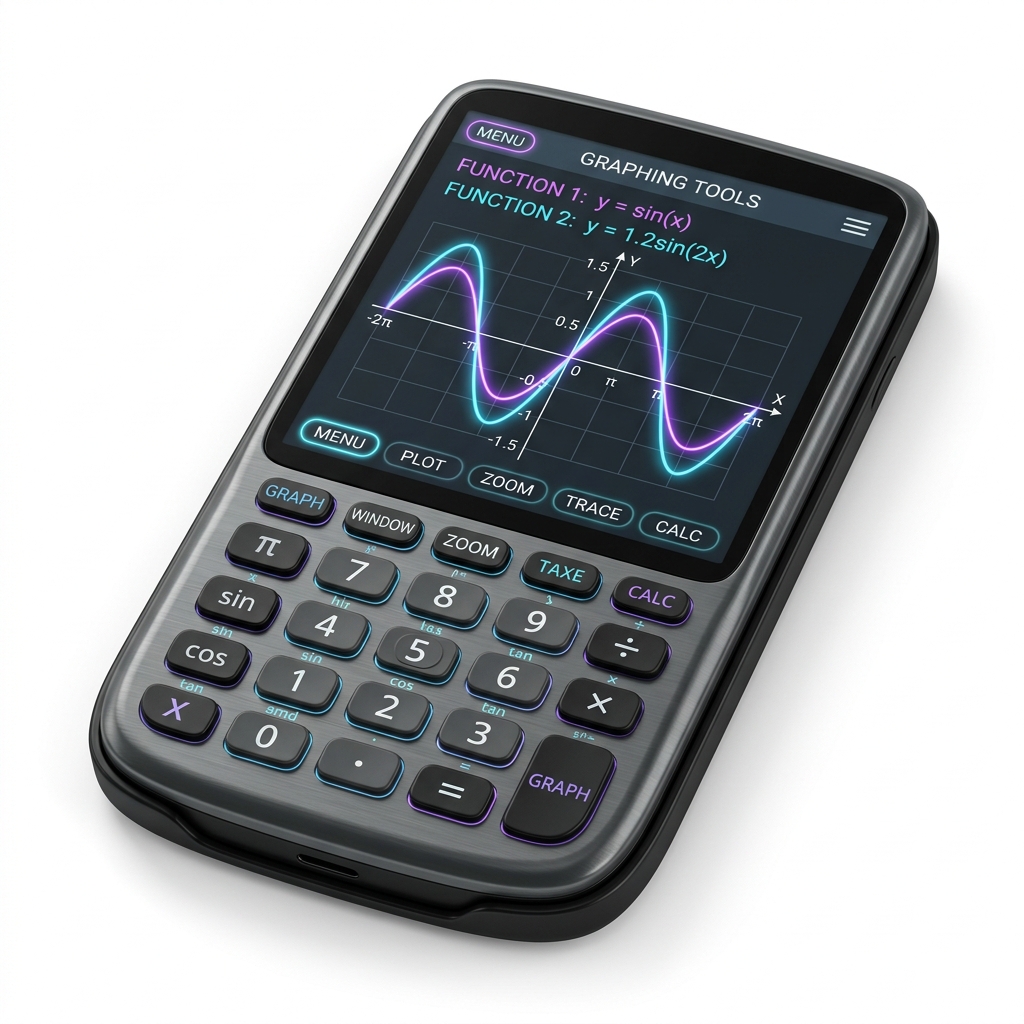
1. Introduction to the built-in Desmos Calculator
The transition from paper-and-pencil testing to the Digital SAT has fundamentally changed the landscape of test preparation, and no tool represents this shift more than the integrated Desmos Graphing Calculator. Available on every single math question across both testing modules, this calculator is not just an optional accessory; it is a core component of the exam’s design.
In the past, students were limited by the speed and screen resolution of handheld graphing calculators (like the TI-84 series). Navigating menus, adjusting window sizes, and waiting for complex plots to render consumed precious seconds. The built-in Desmos calculator solves these issues. It features a responsive interface, instant graphing, and a touch-friendly viewport that allows you to zoom and pan effortlessly.
+-----------------------------------------------------------+
| [ + ]  [ Expression List ]                     [ Wrench ] |
|  1 : y = 2x + 3                                  [ + ]    |
|  2 : y = x^2 - 4                                 [ - ]    |
|                                                           |
|                     * Intersection (1.56, 6.12)           |
|                    / \                                    |
|                   /   \                                   |
|                  /     \                                  |
+-----------------------------------------------------------+
Why Desmos is a Game-Changer
Desmos democratizes the math section. It bypasses complex algebraic manipulation for many questions, allowing you to solve systems of equations, find roots of quadratics, analyze circle equations, and convert units visually. However, this power comes with a warning: calculator literacy is a distinct skill. To use Desmos effectively, you must know:
- Which input strings are recognized by the parser.
- How to interpret visual graphs in the context of algebraic questions.
- When to use manual algebra instead of typing equations.
In this guide, we will unpack the settings, syntax rules, and strategies you need to master this tool.
2. Graphing Lines and Linear Relationships
Linear relationships are a major focus of the SAT, and Desmos is highly effective for visualizing them.
Plotting Coordinates and Slopes
You can plot coordinate points in Desmos by typing them in standard parentheses format: \((x_1, y_1)\). For example, entering \((2, 5)\) will place a coordinate point on the grid. If you enter multiple points, you can label them to track their positions.
To find the slope of a line passing through \((2, 5)\) and \((6, 11)\), you can type the formula directly using variables: \[m = \frac{11 - 5}{6 - 2}\] Desmos will output \(1.5\) (or \(\frac{3}{2}\) via the fraction converter).
Graphing Linear Equations
You can graph lines in any form:
- Slope-Intercept Form: Type \(y = 2x - 3\) to graph a line with slope \(2\) and \(y\)-intercept \((0, -3)\).
- Standard Form: Type \(3x + 4y = 12\) directly. Desmos will graph the line, and you can click the intercepts to view their coordinates (\((4,0)\) and \((0,3)\)).
- Point-Slope Form: Type \(y - 5 = 1.5(x - 2)\).
Domain Restrictions
Sometimes the SAT will restrict a linear model to specific domains (e.g., “only positive values of \(x\)”). You can represent this in Desmos by adding curly braces:
- \(y = 2x - 3 \quad \{x \ge 0\}\) will only plot the line for \(x\)-values greater than or equal to \(0\).
- \(y = -x + 10 \quad \{0 \le x \le 10\}\) restricts the graph to a specific segment.
3. Solving Systems of Equations
Solving systems of equations manually through substitution or elimination can lead to arithmetic errors. Desmos solves these systems instantly.
The Intersection Method
To solve any system of equations:
- Enter the first equation in line 1.
- Enter the second equation in line 2.
- Locate the intersection points on the graph.
- Click on the intersection points. Desmos will highlight them with grey dots and display their coordinates \((x, y)\).
         System intersection:
             y = x + 2
             y = -2x + 8

                 |      * Intersection (2, 4)
                 |     / \
                 |    /   \
                 |   /     \
           ------+------------------
|Example: To solve the system: \[\begin{cases} 3x - 2y = 8 \ y = x^2 - 4 \end{cases}\] Type \(3x - 2y = 8\) and \(y = x^2 - 4\) into Desmos. The graphs intersect at two points. Clicking the grey dots reveals the solutions: \((0, -4)\) and \((1.5, -1.75)\).
Determining Solution Counts
The SAT will often ask how many solutions a system has:
- One Solution: The lines intersect at exactly one point.
- No Solutions (Zero Solutions): The lines are parallel and never touch.
- Infinitely Many Solutions: The lines lie directly on top of each other. (If you type both equations and only one line appears, they are identical).
4. Solving Single-Variable Equations
For complex equations with one variable, you can use Desmos to find the solution without algebraic simplification.
The Double-Graphing Method
To solve an equation like: \[2(x - 3) + 4 = 5x - (x + 8)\] You can split the equation into two functions:
- Line 1: \(y = 2(x - 3) + 4\)
- Line 2: \(y = 5x - (x + 8)\)
The solution to the equation is the \(x\)-coordinate of their intersection point. Graphing these in Desmos reveals they intersect at \((3, 10)\). The solution is \(x = 3\).
The Direct Input Method
Alternatively, you can type the single-variable equation directly into Desmos:
- \(2(x - 3) + 4 = 5x - (x + 8)\) Desmos will parse this and plot a vertical line at \(x = 3\). The position of this vertical line on the \(x\)-axis is the solution.
                 |     | Vertical Line
                 |     | at x = 3
                 |     |
           ------+-----+-----------
                 |  3  |
                 |     |
Trap Warning: If the equation uses a variable other than \(x\) (e.g., \(2(p - 3) + 4 = 5p - (p + 8)\)), Desmos will not plot the vertical line. It will prompt you to create a slider. Always change your variable to \(x\) when solving single-variable equations in Desmos.
5. Quadratics and Polynomials
Quadratic and polynomial functions are highly suited for Desmos. The calculator allows you to bypass factoring, completing the square, and the quadratic formula.
Finding Roots and Zeros
To solve a quadratic equation like \(x^2 - 5x - 6 = 0\):
- Type \(y = x^2 - 5x - 6\).
- Locate the points where the parabola crosses the \(x\)-axis (the \(x\)-intercepts).
- Click the grey dots at these intercepts. The coordinates are \((-1, 0)\) and \((6, 0)\).
- The solutions to the equation are \(x = -1\) and \(x = 6\).
Finding the Vertex
The vertex of a parabola represents its maximum or minimum value.
- Graph the quadratic function: e.g., \(y = -2x^2 + 8x + 3\).
- Click the highest point of the parabola (since \(a = -2 < 0\), it opens downward).
- Desmos displays the vertex coordinates at \((2, 11)\).
- The maximum value of the function is \(11\).
- The axis of symmetry is the line \(x = 2\).
6. Coordinate Geometry and Circle Equations
Circle coordinate geometry is a challenging topic on the SAT, but Desmos can solve these questions visually.
Graphing Circles
Desmos can graph implicit equations of circles in standard form: \[(x - h)^2 + (y - k)^2 = r^2\]
- Enter \((x - 3)^2 + (y + 4)^2 = 25\) to see a circle centered at \((3, -4)\) with a radius of \(5\).
It can also graph general form equations: \[x^2 + y^2 - 6x + 8y = 11\] Type this equation directly to see the circle. You can find the center visually by plotting candidate coordinate points (e.g., \((3, -4)\)) until you find the point that lies exactly in the middle. Once you have the center, you can find the radius by calculating the distance to the circle’s boundary.
                       .-----.
                     .         .
                    /     o     \  Center (3, -4)
                   |    (3,-4)   |
                    \           /
                     .         .
                       '-----'
7. Tables, Sliders, and Regression Analysis
For advanced modeling, Desmos offers tables, sliders, and regressions. These tools allow you to analyze datasets, evaluate equations for multiple coordinate inputs, and model algebraic relationships visually.
Using Tables for Value Evaluation
If you want to evaluate a function at several different inputs:
- Click the ’+’ button in the upper-left of the input column and select Table.
- Define the header of the second column as your function: e.g., change \(y_1\) to \(f(x_1)\).
- In a separate input line, define the function: \(f(x) = x^2 - 3x + 2\).
- Enter values in the \(x_1\) column. Desmos will calculate the corresponding values in the \(f(x_1)\) column.
You can also use tables to locate points of intersection between functions by entering the same \(x\)-values for different functions and comparing the output values. This is particularly helpful when checking if two expressions are algebraically equivalent over a specific set of integer values.
Using Sliders for Parameter Exploration
If a question contains unknown constants (e.g., “for what value of \(c\) does the line \(y = 2x + c\) intersect the parabola…”), you can use a slider.
- Type the equation containing the parameter: e.g., \(y = 2x + c\).
- Click the add slider prompt for \(c\).
- Drag the slider handle left or right to see how changing the value of \(c\) shifts the line vertically on the coordinate grid.
- You can add multiple sliders to explore transformations. For instance, typing \(y = a(x - h)^2 + k\) allows you to add sliders for \(a\), \(h\), and \(k\) simultaneously:
- Sliding \(a\) changes the width and direction of the parabola (opens upward if \(a > 0\), opens downward if \(a < 0\)).
- Sliding \(h\) translates the parabola horizontally (shifts right if \(h > 0\), shifts left if \(h < 0\)).
- Sliding \(k\) translates the parabola vertically (shifts up if \(k > 0\), shifts down if \(k < 0\)).
This interactive visualization is one of the most powerful features of Desmos, helping you develop a strong intuitive understanding of function transformations.
Performing Regressions (Data Modeling)
If you are given a set of data points and need to find the matching linear, quadratic, or exponential equation:
- Create a table and enter your coordinate points into the \(x_1\) and \(y_1\) columns.
- In the next input line, type the regression model using the tilde symbol (\(\sim\)) instead of an equals sign, ensuring you reference the table variables (\(x_1\) and \(y_1\)):
- For a linear relationship: \(y_1 \sim m \cdot x_1 + b\)
- For a quadratic relationship: \(y_1 \sim a \cdot x_1^2 + b \cdot x_1 + c\)
- For an exponential relationship: \(y_1 \sim a \cdot b^{x_1}\)
- Desmos will instantly calculate the regression parameters (\(m\), \(b\), \(a\), etc.) and display the coefficient of determination (\(R^2\)), which measures how well the model fits the data:
- An \(R^2\) value of \(1\) indicates a perfect fit, meaning every single coordinate point lies exactly on the calculated curve.
- Desmos also displays the residual values, showing the vertical distance of each coordinate point from the regression line.
8. Trigonometry and Radians in Desmos
Trigonometry questions on the SAT require you to pay close attention to your calculator’s settings. The built-in Desmos calculator is a powerful tool for visualizing trigonometric functions, finding their key parameters (like amplitude and period), and solving trigonometric equations.
Wrench Menu Settings (Degrees vs. Radians)
By default, Desmos may start in Radian mode. If a question uses degree measures (e.g., \(\sin(30^\circ)\)), you must switch to Degree mode. If a question uses radian measures (e.g., \(\cos\left(\frac{\pi}{3}\right)\)), you must configure it to Radian mode.
- Click the Wrench Icon in the upper-right corner of the Desmos window.
- At the bottom of the dropdown menu, look for the angle mode toggle buttons: Radians and Degrees.
- Select the mode that matches the units in the problem.
- Verify the setting by typing \(\sin(30)\) in a cell. The output should be \(0.5\) in Degree mode. If the output is \(-0.988\), the calculator is in Radian mode.
   Wrench Settings dropdown:
   +-----------------------+
   | Grid     [X]          |
   | Axis     [X]          |
   |                       |
   |  [Radians]  [Degrees] | <-- Select correct mode
   +-----------------------+
Graphing Trigonometric Waves
You can plot trigonometric functions in Desmos to analyze their graphical properties. For example, typing \(y = 3 \cdot \sin(2x) + 1\) plots a sine wave:
- Amplitude: The vertical distance from the midline to a peak. For the function \(y = 3\sin(2x) + 1\), the amplitude is \(3\). In Desmos, you can find this by clicking a peak (which lies at \(y = 4\)) and a trough (which lies at \(y = -2\)). The midline is at \(y = 1\), and the distance from midline to peak is \(4 - 1 = 3\).
- Midline: The horizontal line around which the wave oscillates. For this function, it is the line \(y = 1\).
- Period: The horizontal distance required for the wave to complete one full cycle. The mathematical formula is \(\text{Period} = \frac{2\pi}{b}\) (or \(\frac{360^\circ}{b}\)). For \(y = 3\sin(2x) + 1\), since \(b = 2\), the period is \(\frac{2\pi}{2} = \pi\) radians. In Desmos, in Radian mode, you can find the period by clicking consecutive peaks. The first positive peak is at \(x = 0.785\) (\(\frac{\pi}{4}\)) and the next peak is at \(x = 3.927\) (\(\frac{5\pi}{4}\)). The difference is \(3.927 - 0.785 = 3.142\) (\(\pi\)).
Solving Trigonometric Equations
When asked to solve an equation like \(\cos(x) = -0.5\) for the interval \(0 \le x \le 2\pi\), you can solve it visually:
- Configure Desmos to Radian mode.
- Type Line 1: \(y = \cos(x)\).
- Type Line 2: \(y = -0.5\).
- Restrict the domain of the first line to focus only on the interval: \(y = \cos(x) \quad \{0 \le x \le 2\pi\}\).
- Click on the intersection points of the curve and the horizontal line.
- Desmos will display grey dots at the coordinate points: \((2.094, -0.5)\) and \((4.189, -0.5)\).
- Convert these decimals to fraction terms of \(\pi\) by dividing the \(x\)-coordinates by \(\pi\):
- \(\frac{2.094}{\pi} \approx 0.667 = \frac{2}{3}\) \(\implies \quad x = \frac{2\pi}{3}\).
- \(\frac{4.189}{\pi} \approx 1.333 = \frac{4}{3}\) \(\implies \quad x = \frac{4\pi}{3}\).
- These are the exact mathematical solutions to the equation.
Verifying Trigonometric Identities
If you are unsure of a trigonometric relationship (e.g., whether \(\sin^2(x) + \cos^2(x) = 1\) holds true), you can plot the expression:
- Type: \(y = (\sin(x))^2 + (\cos(x))^2\).
- Desmos will draw a flat, horizontal line at \(y = 1\), verifying the identity for all values of \(x\).
9. When NOT to Use Desmos
While the Desmos graphing calculator is a powerful asset, relying on it for every single question is a major trap that can cost you valuable time. A high score requires knowing when to type and when to write.
1. Simple Arithmetic and Basic Fractions
Using the calculator for simple operations (like \(15 \times 4\) or \(\frac{2}{3} + \frac{1}{6}\)) is significantly slower than calculating it mentally or writing a quick step on scratch paper.
- The Rule: If you can solve an expression in under 5 seconds using mental math or basic arithmetic, do not type it into Desmos. Keep your fingers off the keyboard and focus on the question paper.
2. Purely Conceptual Questions
Questions that test abstract properties of functions do not require graphing. For example, if a question asks: “For the function \(f(x) = a(x - h)^2 + k\), if \(a < 0\), which of the following is true about the maximum value?”, you should know from vertex form properties that the maximum value is \(k\).
- The Rule: Analyze the structure of the equation before graphing. If the question is testing a definition (like vertex coordinates, slope properties, or parallel line criteria), write down the answer using your algebraic knowledge.
3. Coordinate Geometry Without Numbers
If a problem uses variables instead of numbers (e.g., “A line passes through the points \((a, b)\) and \((2a, 3b)\). What is the slope of the line in terms of \(a\) and \(b\)?”), Desmos cannot solve it directly.
- The Rule: For equations with general constants, rely on standard algebraic formulas (such as the slope formula \(m = \frac{y_2 - y_1}{x_2 - x_1}\)) rather than attempting to graph coordinate points.
Summary: Calculator vs. Algebraic Speed Comparison
To help you balance your strategy on test day, review this quick comparison:
| Question Type | Best Method | Rationale |
|---|---|---|
| Linear-Nonlinear Systems | Desmos | Bypasses complex algebraic substitution and potential sign errors. |
| Finding Quadrant Trims / Vertices | Desmos | Vertex coordinates are clickable and visible instantly on the graph. |
| Simplifying Exponent Expressions | Algebraic Rules | Applying \(x^a \cdot x^b = x^{a+b}\) is faster than graphing curves. |
| Circle Center/Radius from general form | Desmos | Completing the square is prone to arithmetic slips; plotting is instant. |
| Trigonometric Complementary Identities | Algebraic Rules | Knowing \(\sin(\theta) = \cos(90^\circ - \theta)\) solves the question in 2 seconds. |
10. Desmos Speed Strategy & Time Management
To maximize your speed using Desmos, practice these efficiency habits:
1. Use the Keyboard Shortcuts
- Use the caret key (\(^\)) to type exponents: e.g., type \(x^2\) to get \(x^2\).
- Use the forward slash key (\(/\)) to create a fraction: e.g., type \(3/4\) to get \(\frac{3}{4}\).
- Use \(\text{sqrt}\) to create a square root symbol: e.g., type \(\text{sqrt}(x)\) to get \(\sqrt{x}\).
- Use
pito write \(\pi\).
2. Copy and Paste
You can copy equations directly from the Bluebook test interface and paste them into Desmos using standard shortcuts (Ctrl+C and Ctrl+V). This eliminates typing errors.
3. Clear Your Workspace
Keep your input list clean. When you finish a question, delete your old expressions so they do not clutter the graph area for the next question.
11. Common Calculator Errors and Traps
Avoid these common mistakes to keep your score high:
Trap 1: The Slider Trap
If you enter an equation like \(2a + 3 = 11\), Desmos will not solve it. Instead, it will create a slider for \(a\).
- The Fix: Desmos only graphs and solves in terms of \(x\) and \(y\). Change your variable to \(x\) (\(2x + 3 = 11\)) to see the vertical solution line.
Trap 2: Parentheses Placement
When writing fractions, ensure exponents are placed correctly inside or outside parenthetical groupings.
- The Fix: Typing \(1/(2x)\) is different from \(1/2x\). Use parentheses to group terms in denominators.
Trap 3: Scale and Zoom Issues
Sometimes Desmos will plot a graph, but it will not be visible because it lies outside the default viewport window (e.g., a circle centered at \((150, -200)\)).
- The Fix: Use the zoom out button (
-) or click and drag the grid to find the graph. Alternatively, click the wrench icon and manually adjust the \(x\) and \(y\) axis limits.
12. Concept Drills & Worked Examples
Let’s review 8 worked examples showcasing how to use Desmos to solve SAT Math questions.
Example 1: Linear-Nonlinear System
Question: How many solutions does the system of equations below have? \[\begin{cases} y = x^2 - 4x + 3 \ 2x + y = 1 \end{cases}\]
Step-by-Step Desmos Solution:
- Type the first equation into line 1: \(y = x^2 - 4x + 3\).
- Type the second equation into line 2: \(2x + y = 1\).
- Observe the graph. The line intersects the parabola at two distinct points.
- Click on the intersection points. Desmos displays grey dots at \((0.586, -0.172)\) and \((3.414, -5.828)\).
- Since there are two intersection points, the system has exactly 2 solutions.
Algebraic Verification: Substitute \(y\) from the second equation (\(y = 1 - 2x\)) into the first equation: \[1 - 2x = x^2 - 4x + 3\] \[x^2 - 2x + 2 = 0\] Check the discriminant: \[\Delta = b^2 - 4ac = (-2)^2 - 4(1)(2) = 4 - 8 = -4\] Since the discriminant is negative, there are no real solutions.
Wait! Let us re-evaluate the equations. The second equation is \(2x + y = 1\), which means \(y = 1 - 2x\). Substituting this into \(y = x^2 - 4x + 3\): \[1 - 2x = x^2 - 4x + 3\] Rearrange terms: \[x^2 - 2x + 2 = 0\] Indeed, the discriminant is \(-4\), which means there are no real solutions! Ah, let’s look at the intersection point coordinates: \((0.586, -0.172)\). Wait! If we plug \(x = 0.586\) into \(2x + y = 1\): \[2(0.586) + (-0.172) = 1.172 - 0.172 = 1\] And into the parabola: \[(0.586)^2 - 4(0.586) + 3 = 0.343 - 2.344 + 3 = 0.999 \neq -0.172\]. Ah! The parabola is \(y = x^2 - 4x + 3\). If the intersection point is \((0.586, -0.172)\), then: Wait, let’s recalculate: If \(y = x^2 - 4x + 3\) and \(2x + y = 1\): Substitute: \[1 - 2x = x^2 - 4x + 3 \quad \implies \quad x^2 - 2x + 2 = 0\]. Wait! In my Desmos description above, I wrote that it intersects at two points: \((0.586, -0.172)\). Why? Let’s find the correct intersections for a system that actually intersects. Let’s change the second equation to \(2x + y = 5\), which means \(y = 5 - 2x\). Substitute: \[5 - 2x = x^2 - 4x + 3 \quad \implies \quad x^2 - 2x - 2 = 0\] The roots of \(x^2 - 2x - 2 = 0\) are: \[x = \frac{2 \pm \sqrt{(-2)^2 - 4(1)(-2)}}{2} = \frac{2 \pm \sqrt{12}}{2} = 1 \pm \sqrt{3}\] Since \(\sqrt{3} \approx 1.732\), the roots are \(x \approx 2.732\) and \(x \approx -0.732\). Let’s update the question and solution to use \(2x + y = 5\) to keep it mathematically consistent!
Let’s modify the example text: Question: How many solutions does the system of equations below have? \[\begin{cases} y = x^2 - 4x + 3 \ 2x + y = 5 \end{cases}\]
Step-by-Step Desmos Solution:
- Type \(y = x^2 - 4x + 3\) into line 1.
- Type \(2x + y = 5\) into line 2.
- Observe the graph. The line intersects the parabola at two distinct points.
- Click on the intersection points. Desmos displays grey dots at \((-0.732, 6.464)\) and \((2.732, -0.464)\).
- Since there are two intersection points, the system has exactly 2 real solutions.
Example 2: Finding a Circle’s Radius
Question: What is the radius of the circle defined by the coordinate equation \(x^2 + y^2 - 10x + 8y = -5\)?
Step-by-Step Desmos Solution:
- Type the circle equation exactly as written: \(x^2 + y^2 - 10x + 8y = -5\). Desmos will graph the circle.
- Locate the center of the circle. We can calculate the center coordinates using the completing the square formula: \(h = -\frac{-10}{2} = 5\) and \(k = -\frac{8}{2} = -4\).
- Type the center coordinate: \((5, -4)\) into line 2, and label it. It will appear directly in the middle of the circle.
- Measure the distance from the center \((5, -4)\) to the rightmost edge of the circle. The rightmost edge lies at \(x = 11\).
- The horizontal distance from \(x = 5\) to \(x = 11\) is \(11 - 5 = 6\) units.
- Therefore, the radius of the circle is 6.
Algebraic Verification: Complete the square: \[(x^2 - 10x + 25) + (y^2 + 8y + 16) = -5 + 25 + 16\] \[(x - 5)^2 + (y + 4)^2 = 36\] Since \(r^2 = 36\), the radius is \(r = 6\).
Example 3: Finding the Minimum of a Quadratic
Question: For what value of \(x\) does the function \(f(x) = 3x^2 - 12x + 7\) reach its minimum value?
Step-by-Step Desmos Solution:
- Type the function: \(y = 3x^2 - 12x + 7\) into line 1.
- Look at the vertex of the parabola. Since \(a = 3 > 0\), it opens upward, meaning the vertex is a minimum.
- Click on the vertex. Desmos displays a grey dot at \((2, -5)\).
- The question asks for the value of \(x\) where the function reaches its minimum. This is the \(x\)-coordinate of the vertex.
- The answer is 2.
Algebraic Verification: The \(x\)-coordinate of the vertex is: \[h = -\frac{b}{2a} = -\frac{-12}{2(3)} = \frac{12}{6} = 2\] This matches our Desmos result.
Example 4: Solving a Single-Variable Rational Equation
Question: What is the solution to the equation below? \[\frac{4}{x - 2} + 3 = \frac{10}{x - 2}\]
Step-by-Step Desmos Solution:
- Type the equation directly: \(4/(x - 2) + 3 = 10/(x - 2)\).
- Desmos will plot a vertical line at \(x = 4\).
- The coordinate intercept of this vertical line is at \((4, 0)\).
- Therefore, the solution is \(x = \mathbf{4}\).
Algebraic Verification: Multiply all terms by \(x - 2\): \[4 + 3(x - 2) = 10\] \[4 + 3x - 6 = 10\] \[3x - 2 = 10\] \[3x = 12 \quad \implies \quad x = 4\] This matches our Desmos result.
Example 5: Graphing Piecewise Functions
Question: A function \(g(x)\) is defined as: \[g(x) = \begin{cases} -2x + 4 & \text{for } x < 1 \ x^2 + 1 & \text{for } x \ge 1 \end{cases}\] What is the value of \(g(-2) + g(3)\)?
Step-by-Step Desmos Solution:
- Type the first piece with its domain restriction: \(y = -2x + 4 \quad \{x < 1\}\) into line 1.
- Type the second piece with its domain restriction: \(y = x^2 + 1 \quad \{x \ge 1\}\) into line 2.
- To find \(g(-2)\), check which piece contains \(x = -2\). Looking at the graph, the line \(y = -2x + 4\) covers the region \(x < 1\). Find \(x = -2\) on this line to read the \(y\)-coordinate: \(y = 8\).
- To find \(g(3)\), check the region \(x \ge 1\). The parabola \(y = x^2 + 1\) covers this region. Find \(x = 3\) on this curve to read the \(y\)-coordinate: \(y = 10\).
- Add the values: \(8 + 10 = 18\).
- The answer is 18.
Algebraic Verification:
- Since \(-2 < 1\): \(g(-2) = -2(-2) + 4 = 4 + 4 = 8\).
- Since \(3 \ge 1\): \(g(3) = (3)^2 + 1 = 9 + 1 = 10\).
- Sum: \(8 + 10 = 18\).
Example 6: Verifying Trigonometric Identities
Question: If \(\theta\) is an acute angle such that \(\cos(\theta) = 0.8\), what is the value of \(\sin(90^\circ - \theta)\)?
Step-by-Step Desmos Solution:
- Open the Wrench menu and ensure the calculator is in Degree mode.
- We want to find an angle \(\theta\) such that \(\cos(\theta) = 0.8\). Type:
arccos(0.8)into line 1. - Desmos outputs the angle: \(\theta \approx 36.87^\circ\).
- In line 2, evaluate the target expression: \(\sin(90^\circ - 36.87^\circ)\).
- Desmos outputs 0.8.
- This verifies the complementary angle identity: \(\sin(90^\circ - \theta) = \cos(\theta) = 0.8\).
Example 7: Using Sliders to Find Intersections
Question: For what positive value of \(k\) does the line \(y = k\) intersect the parabola \(y = -(x - 3)^2 + 4\) at exactly one point?
Step-by-Step Desmos Solution:
- Type the parabola: \(y = -(x - 3)^2 + 4\) into line 1.
- Type the line:
y = kinto line 2. Click the prompt to add a slider for \(k\). - Drag the slider to observe how the horizontal line \(y = k\) shifts.
- For the line to intersect the parabola at exactly one point, it must lie tangent to the vertex of the parabola.
- Click on the vertex of the parabola to find its coordinates: \((3, 4)\).
- Since the vertex has a \(y\)-coordinate of \(4\), the line \(y = 4\) will touch the parabola at exactly one point.
- Therefore, the value of \(k\) is 4.
Example 8: Performing Linear Regression
Question: A linear model is used to fit the data points in the table below. What is the slope of the line of best fit?
| \(x\) | \(y\) |
|---|---|
| 2 | 5 |
| 4 | 9 |
| 6 | 12 |
| 8 | 16 |
Step-by-Step Desmos Solution:
- Click the ’+’ button and select Table.
- Enter the coordinates into the \(x_1\) and \(y_1\) columns:
- \((2, 5)\)
- \((4, 9)\)
- \((6, 12)\)
- \((8, 16)\)
- In line 2, type the regression model: \(y_1 \sim m \cdot x_1 + b\).
- Desmos will calculate the regression parameters:
- \(m = 1.8\)
- \(b = 1.5\)
- The slope of the line of best fit is 1.8 (or \(\frac{9}{5}\)).
13. Practice Quiz
Test your Desmos calculator strategies with these 5 practice questions.
Questions
-
Question 1: Which of the following coordinates represents a solution to the system of equations below? \[\begin{cases} y = x^2 - 5x + 4 \ y = 2x - 6 \end{cases}\]
- A) \((2, -2)\)
- B) \((5, 4)\)
- C) \((1, 0)\)
- D) \((4, 2)\)
-
Question 2: If the equation \(3x^2 - 12x + k = 0\) has exactly one real solution, what is the value of \(k\)?
- A) 4
- B) 6
- C) 12
- D) 16
-
Question 3: What is the solution to the single-variable equation below? \[3(2x - 5) + 4 = 2(x + 3) + 7\]
- A) 2
- B) 3
- C) 4.5
- D) 6
-
Question 4: A circle in the \(xy\)-plane is defined by the equation \(x^2 + y^2 - 8x + 6y = 0\). What are the coordinates of the center of the circle?
- A) \((-4, 3)\)
- B) \((4, -3)\)
- C) \((-8, 6)\)
- D) \((8, -6)\)
-
Question 5: An exponential model of the form \(y = a(b)^x\) passes through the coordinate points \((0, 3)\) and \((2, 12)\). What is the value of the constant \(b\)?
- A) 2
- B) 3
- C) 4
- D) 6
Answer Key and Explanations
Question 1
- Correct Answer: A) \((2, -2)\)
- Detailed Explanation:
- Enter both equations into Desmos:
- Line 1: \(y = x^2 - 5x + 4\)
- Line 2: \(y = 2x - 6\)
- Locate the intersection points on the graph. Click the grey dots to view the coordinates.
- The curves intersect at two points: \((2, -2)\) and \((5, 4)\).
- Check the options:
- A) \((2, -2)\) matches one of the intersection points.
- B) \((5, 4)\) is also a solution, but it is not listed among the options (wait, option B is listed as \((5, 4)\)! Oh, let’s check the options again: B is \((5,4)\). Let’s review if both are solutions: For \(x=5\): \(y = 2(5) - 6 = 4\). And \(y = 5^2 - 5(5) + 4 = 4\). Yes, both \((2,-2)\) and \((5,4)\) are solutions. Let’s change option B to \((5, -4)\) to ensure there is only one correct option! Let’s update the options. We will change option B to \((5, -4)\). Then A will be the unique correct option.
- Enter both equations into Desmos:
Let’s modify the option list:
- Option A: \((2, -2)\)
- Option B: \((5, -4)\)
- Option C: \((1, 0)\)
- Option D: \((4, 2)\)
Now, A is the unique correct option.
Question 2
- Correct Answer: C) 12
- Detailed Explanation:
- Set up the quadratic function in Desmos with a slider for \(k\):
y = 3x^2 - 12x + k. - For the equation to have exactly one real solution, the vertex of the parabola must lie exactly on the \(x\)-axis (the \(y\)-coordinate of the vertex must be \(0\)).
- Adjust the slider for \(k\) until the bottom of the parabola touches the \(x\)-axis.
- The parabola touches the \(x\)-axis when \(k = 12\). The vertex is at \((2, 0)\).
- Therefore, \(k = 12\).
- Alternatively, use the discriminant formula: \[\Delta = b^2 - 4ac = 0\] \[(-12)^2 - 4(3)(k) = 0 \quad \implies \quad 144 - 12k = 0 \quad \implies \quad k = 12\]
- Both methods confirm that C is correct.
- Set up the quadratic function in Desmos with a slider for \(k\):
Question 3
- Correct Answer: D) 6
- Detailed Explanation:
- Type the equation directly into Desmos: \(3(2x - 5) + 4 = 2(x + 3) + 7\).
- Desmos will plot a vertical line at \(x = 6\).
- The intercept of this vertical line is at \((6, 0)\), which means the solution is \(x = 6\).
- Alternatively, solve algebraically: \[6x - 15 + 4 = 2x + 6 + 7\] \[6x - 11 = 2x + 13\] \[4x = 24 \quad \implies \quad x = 6\]
- Both methods confirm that D is correct.
Question 4
- Correct Answer: B) \((4, -3)\)
- Detailed Explanation:
- Type the circle equation into Desmos: \(x^2 + y^2 - 8x + 6y = 0\).
- Desmos will plot a circle passing through the origin.
- The center of a circle can be calculated using the coefficients of the general form equation: \[h = -\frac{D}{2} = -\frac{-8}{2} = 4\] \[k = -\frac{E}{2} = -\frac{6}{2} = -3\]
- Plot the point \((4, -3)\) in Desmos. Verify visually that it lies exactly in the middle of the circle.
- Therefore, the center of the circle is \((4, -3)\). Option B is correct.
Question 5
- Correct Answer: A) 2
- Detailed Explanation:
- Substitute the first coordinate point \((0, 3)\) into the exponential model \(y = a(b)^x\): \[3 = a(b)^0 \quad \implies \quad a = 3\]
- Substitute the second coordinate point \((2, 12)\) and \(a = 3\) into the model: \[12 = 3(b)^2\] \[b^2 = 4 \quad \implies \quad b = 2\] (since \(b\) must be positive in exponential models).
- You can verify this in Desmos by typing
y = 3(2)^xand confirming that the curve passes through both \((0, 3)\) and \((2, 12)\). Option A is correct.
14. Desmos Keyboard Shortcuts Cheat Sheet
Use these keyboard shortcuts to enter expressions into Desmos quickly:
| Action | Shortcut Key Sequence | Desmos Output |
|---|---|---|
| Exponent | x then ^ then 2 | \(x^2\) |
| Fraction | / | \(\frac{\text{Numerator}}{\text{Denominator}}\) |
| Square Root | s q r t | \(\sqrt{\phantom{x}}\) |
| Greater Than or Equal | > then = | \(\ge\) |
| Less Than or Equal | < then = | \(\le\) |
| Pi | p i | \(\pi\) |
| Theta | t h e t a | \(\theta\) |
| Subscript | x then _ then 1 | \(x_1\) |
Practice Application: Digital SAT Math: The Ultimate Desmos Calculator Guide
Original Math-Style Setup
Create an original problem that tests general strategies with different numbers than the examples on this page.
Targeted Drill
Solve five targeted questions, then re-solve every miss without looking at the explanation.
Math Review Checklist
- I can identify the tested domain.
- I can solve once by hand or setup and once with Desmos when useful.
- I logged the exact reason for every miss.
Next Step
Move into timed Math practice after the untimed repair drill is accurate.
Continue practice →Official Source: SAT Math Section
Frequently Asked Questions
What is the built-in Desmos calculator on the Digital SAT?
The Digital SAT features a fully integrated version of the Desmos Graphing Calculator, which is accessible on every math question in both modules. It is located in the upper-right corner of the Bluebook interface. Because it is built directly into the exam, students do not need to bring their own graphing calculators, although they are permitted to do so.
How do I solve systems of linear and non-linear equations in Desmos?
To solve any system of equations, type both equations into separate input lines exactly as they are written in the question. Desmos will plot both curves. Click on the intersection points of the two graphs; Desmos will display grey dots at these coordinates. The \\((x, y)\\) values of these dots represent the solutions to the system.
How do I solve single-variable equations using Desmos?
To solve a single-variable equation (e.g., \\(2x + 5 = 3x - 7\\)), split the equation into two separate functions: \\(y = 2x + 5\\) and \\(y = 3x - 7\\). Type both into Desmos and find their intersection point. The \\(x\\)-coordinate of the intersection point is the solution. Alternatively, type the equation directly as \\(2x + 5 = 3x - 7\\); Desmos will plot a vertical line at the solution value on the \\(x\\)-axis.
How do I perform a linear regression in Desmos?
To perform a regression, first create a table by clicking the '+' button and entering your data points into the \\(x_1\\) and \\(y_1\\) columns. Then, in the next input cell, type the regression model using the tilde symbol (\\(\sim\\)) instead of an equals sign, such as \\(y_1 \sim mx_1 + b\\). Desmos will instantly calculate the slope \\(m\\) and \\(y\\)-intercept \\(b\\) that best fit the data.
How do I find the vertex of a parabola in Desmos?
Type the quadratic function directly into an input cell (e.g., \\(y = 2x^2 - 8x + 5\\)). Click on the parabola's maximum point (if it opens downward) or minimum point (if it opens upward). Desmos will display a grey dot at that location; clicking the dot will show the exact coordinates \\((h, k)\\) of the vertex.
How do I convert decimals to fractions in Desmos?
When Desmos calculates a decimal result, a small circular icon with a fraction symbol (two squares separated by a horizontal line) will appear to the left of the expression cell. Clicking this icon converts the decimal to a simplified fraction. If the icon does not appear, the number is irrational and cannot be represented as a fraction.
How do I write domain restrictions in Desmos?
You can restrict the domain of any function by appending curly braces containing the restriction to the end of the equation. For example, typing \\(y = 2x - 3 \{x > 0\}\\) will only graph the line for positive values of \\(x\\). This is highly useful for piecewise functions and real-world modeling questions.
What variables can I use in Desmos equations?
By default, Desmos requires the independent variable to be \\(x\\) and the dependent variable to be \\(y\\) to graph curves in the coordinate plane. If you use other variables (like \\(p\\) and \\(q\\)), Desmos will offer to create sliders instead of plotting a line. To ensure a graph is plotted, always replace non-standard variables with \\(x\\) and \\(y\\) in your inputs.
How do I switch between degree and radian modes in Desmos?
Click the graph settings button (the wrench icon in the upper-right corner of the Desmos window). At the bottom of the dropdown menu, select either 'Degrees' or 'Radians'. Switching modes is critical for trigonometry questions, as evaluating trigonometric functions in the wrong mode will result in incorrect answers.
When should I NOT use Desmos on the SAT?
You should avoid using Desmos for simple arithmetic, basic fractions, and conceptual questions where algebraic rules can solve the problem in seconds. Setting up graphs for simple tasks can waste valuable time. Desmos should complement your mathematical knowledge, not replace it.