SAT Test Centers: Find a Safe Official Location
Master the SAT test center search. Learn how to locate official centers, navigate seat capacities, plan travel logistics, and verify facility conditions.
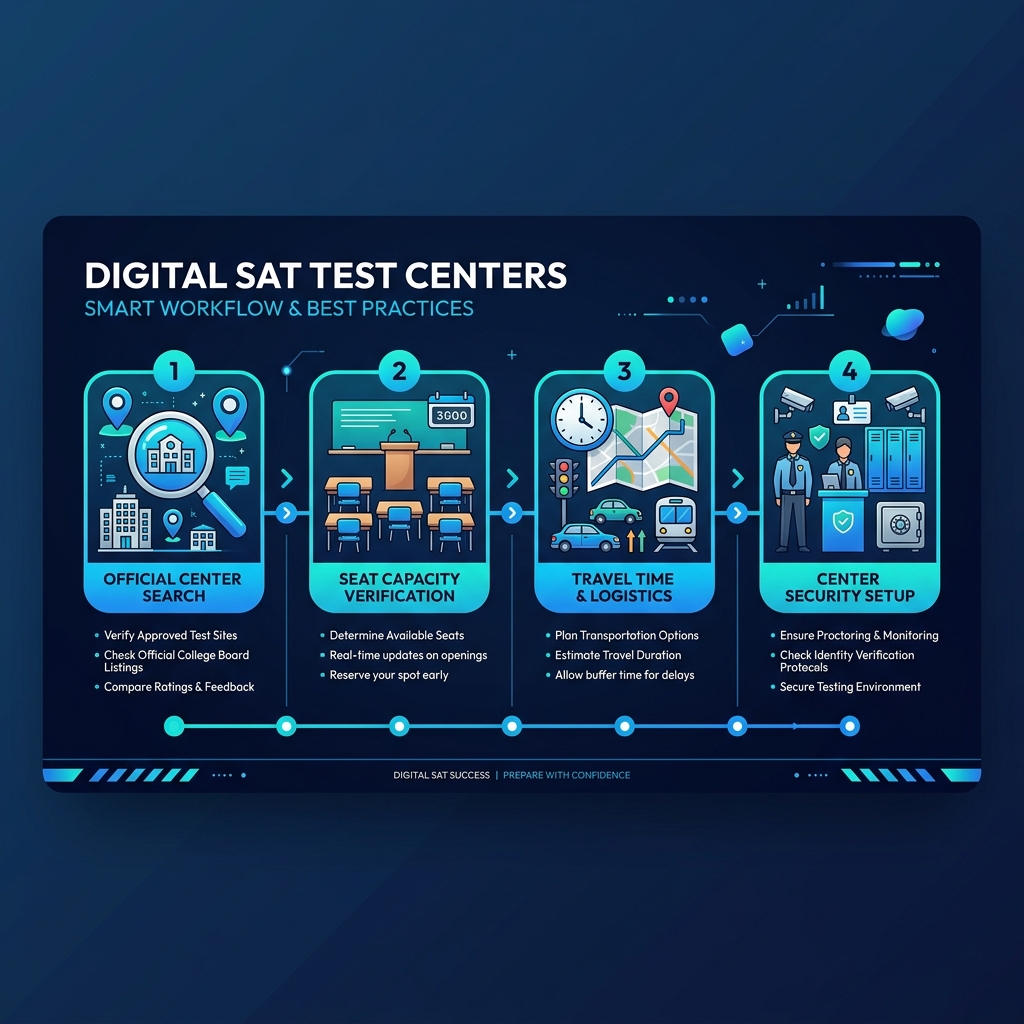
Quick Facts
- Official Search: Always search and register via the official College Board search portal
- Seat Availability: Seats are first-come, first-served; popular locations fill up 3-4 months in advance
- Facility Selection: Prioritize familiar high schools or modern collegiate venues over large gymnasium setups
- Power Outlets: Verify if the center provides power at every seat, or bring a fully charged testing device
- Travel Buffers: Plan to arrive by 7:45 AM; calculate travel routes with a 30-minute traffic buffer
- Accommodations: SSD accommodation requests must be submitted at least 7-8 weeks before the test date
- Backup Centers: Note two backup centers during registration in case your first choice is cancelled
Planning your college preparation timeline requires managing a complex calendar of academic, extracurricular, and admissions deadlines. Among these details, finding the right test center is one of the most critical and often overlooked aspects of the test-day experience. Registering for the exam is not simply about picking a random location on a map; it requires aligning your logistical preferences, understanding the physical environment of different venues, and securing a seat before capacities are filled.
With the transition of the SAT to a fully digital format using the Bluebook testing application, the registration system and physical test-day parameters have shifted. Testing rooms must now support reliable power distribution, manage local Wi-Fi networks for hundreds of concurrent device connections, and accommodate students testing on personal or school-provided devices. A minor logistical error—such as booking a center with insufficient power outlets, miscalculating travel times, or registering at an unverified private academy—can disrupt your preparation and cause unnecessary test-day anxiety.
This guide provides a comprehensive analysis of the official SAT test center system. We explain how to identify authorized testing locations, evaluate facility conditions, manage registration deadlines, troubleshoot device and network issues, and navigate test-day check-in protocols.
Table of Contents
- Phase 1: How the Official SAT Test Center System Works
- Phase 2: Step-by-Step Guide: How to Find a Safe Official Test Center Near You
- Phase 3: Analyzing Test Center Environments: School vs. External Venues
- Phase 4: Understanding Seat Capacity, Registration Windows, and Waitlists
- Phase 5: International SAT Testing: Key Differences and Logistics
- Phase 6: Device Readiness and Bluebook Requirements at the Test Center
- Phase 7: Test Day Arrival, Security Check-in, and Verification Workflows
- Phase 8: Common Test Center Problems and How to Solve Them
- Phase 9: Requesting Testing Accommodations (SSD) at Your Selected Center
- Phase 10: Complete Test Day Checklist: What to Pack and What to Leave at Home
- Phase 11: Mini-Practice Test: SAT-Style Diagnostic Questions
- Phase 12: Next Steps in Your SAT Preparation Plan
- Official Sources, Trademark Disclaimer, and Final Notes
1. Phase 1: How the Official SAT Test Center System Works
To select a safe, secure, and reliable testing environment, you must first understand how the College Board authorizes and manages test centers. The College Board does not own or operate testing facilities directly. Instead, it relies on a global network of approved institutions—primarily public high schools, private preparatory academies, community colleges, and international schools—to host administrations.
The Administrative Hierarchy
The SAT test center ecosystem operates through a structured administrative chain:
- The College Board: The governing body that designs the SAT, establishes testing policies, sets dates, and maintains the centralized registration portal.
- Educational Testing Service (ETS): The administrative partner responsible for distributing test materials, overseeing test security, and processing registration records.
- Test Center Coordinators: Local educators or administrators at each school who manage the physical testing site. The coordinator hires proctors, configures the facility, coordinates the Wi-Fi network, and handles emergency situations.
- Proctors: Individual room supervisors who verify student identities, distribute scratch paper, monitor student behavior, and read official instructions.
Unique Test Center Codes
Every authorized test center is assigned a unique, 5-digit numeric identifier (e.g., Center Code 33125). This code uniquely identifies the physical facility and the specific administration. When registering, you must verify that the 5-digit code on your registration dashboard matches the school or venue you intend to book. This is crucial because multiple schools in the same metropolitan area may share similar names (e.g., “Lincoln High School”), and registering at the incorrect facility can lead to significant travel delays on test day.
Types of SAT Administrations
The testing system supports three primary administration types:
- Weekend Administrations (Saturday): The standard public test administrations open to all registered students. These occur seven times per year (August, October, November, December, March, May, and June) at designated public and private school centers.
- SAT School Day (Weekdays): Administrations hosted directly by schools during regular school hours for their own enrolled students. If your school participates in SAT School Day, registration is handled internally by your counselor, and the testing room is located within your school.
- Special Administrations: Conducted at specific regional hubs, hospitals, or correctional facilities for students with highly specific logistical or medical constraints.
Facility Authorization Requirements
Before the College Board approves a facility to host the Digital SAT, the institution must demonstrate compliance with strict technical and environmental standards:
- Network Bandwidth: The site must have a robust local area network (LAN) or wireless network (Wi-Fi) capable of handling concurrent connections from all testing devices.
- Physical Spacing: Testing desks must be spaced at least four feet apart (edge-to-edge) to prevent screen visibility between adjacent students.
- Technical Infrastructure: The facility must have a designated Technology Coordinator to troubleshoot local connection drops, device issues, and power failures.
2. Phase 2: Step-by-Step Guide: How to Find a Safe Official Test Center Near You
Locating an official, operational test center requires a systematic approach. Many students make the mistake of searching for testing centers through general web search engines, which can yield outdated lists, inactive center names, or unofficial sites. The following step-by-step workflow outlines how to locate and secure a safe testing location.
Step 1: Access the Centralized Directory
To begin your search, navigate to the official College Board SAT Test Center Search tool. This database is updated in real-time to reflect new facility openings, closures, and seat availability. Avoid relying on third-party test prep blogs or historical list collections, as center availability can change rapidly between registration cycles.
Step 2: Input Geographic and Temporal Filters
To isolate centers in your immediate area:
- Select your target Test Date from the dropdown menu. Center availability is highly date-dependent; a school that hosts the exam in October may not host it in November.
- Select your Country (United States or International).
- Enter your ZIP/Postal Code or select your State/City to define the search radius. The system defaults to displaying centers within a 50-mile radius, but you can narrow or expand this setting based on your region’s density.
Step 3: Verify the Center’s Active Status and Code
Once the search results load, compile a list of potential centers. For each center, record:
- The full official name of the host institution.
- The physical street address (cross-reference this on a digital map application to verify drive times and routes).
- The 5-digit Center Code.
- Special notes, such as specific building entrances, parking restrictions, or facility rules.
Step 4: Cross-Reference with the Registration Portal
After identifying preferred venues, log into your College Board student account and begin the registration process. When you reach the “Select Test Center” step, search specifically for your chosen venue using its 5-digit Center Code. If the center does not appear or shows as “Full,” it means all allocated seats for that specific date have been booked, and you must select a backup center.
Step 5: Research Local Facility History
Not all test centers are created equal. Some facilities have earned reputations for chaotic check-in procedures, disruptive proctors, or unstable Wi-Fi networks. To evaluate the “safety” and quality of a center:
- Speak with school counselors, older peers, or local tutors who have firsthand experience with the testing sites in your school district.
- Check local school forums or community discussion boards for student reports regarding specific testing rooms (e.g., whether tests are held in a quiet, air-conditioned library or a cold, echoing gymnasium).
- Prioritize centers that are modern, well-funded, and experienced in hosting large-scale standardized tests.
3. Phase 3: Analyzing Test Center Environments: School vs. External Venues
The physical environment in which you take the SAT can have a measurable impact on your concentration, fatigue, and ultimate score. Noise disruptions, uncomfortable seating, inadequate desk space, and extreme temperatures all consume cognitive energy. When choosing a center, you must weigh the advantages and disadvantages of different venue types.
| Venue Type | Key Advantages | Key Disadvantages | Ideal Candidate |
|---|---|---|---|
| Enrolled High School | Familiar layout, known travel route, comfortable seating, friendly faculty. | Potential for social distractions, complacency. | Students who experience high test anxiety and benefit from maximum familiarity. |
| Unfamiliar High School | Standardized classroom setups, clear signage. | Unknown travel logistics, potential parking challenges, variable room temperatures. | Students who register early and live in suburban areas with multiple school districts. |
| Collegiate Venues | Large lecture desks, modern Wi-Fi infrastructure, climate-controlled rooms. | Massive testing halls, intimidating atmosphere, complex campus navigation. | Mature students who prefer spacious desks and are comfortable navigating large campuses. |
| Private Academies / Hubs | Dedicated testing focus, small testing groups. | Limited seat capacity, stricter check-in policies, potential for crowded parking zones. | Urban students or international test-takers who require highly standardized environments. |
Environmental Quality Assessment Checklist
Before finalizing your choice, evaluate each candidate facility against these five environmental vectors:
1. Table and Desk Dimensions
The Digital SAT requires space for your testing device (laptop or tablet) as well as sheets of scratch paper and a physical calculator.
- Classrooms: Typically provide individual desks with sufficient flat surfaces.
- Lecture Halls: May feature narrow, sloped writing tablets that make balancing a laptop, calculator, and scratch paper difficult.
- Gymnasiums: Often set up with temporary folding tables that can wobble if adjacent test-takers move.
2. Sound Isolation
A quiet testing environment is essential for the Reading and Writing modules, where passages demand close reading.
- Prioritize facilities that place testing rooms in isolated wings, libraries, or dedicated testing centers.
- Avoid centers that host exams in rooms adjacent to active athletic fields, construction zones, or main hallways.
3. Climate Control
Testing rooms that are excessively hot or cold can impair cognitive performance.
- High schools often turn off central heating or cooling systems on weekends, leading to unpredictable room temperatures.
- Look for venues with modern, zoned HVAC systems, and always plan to dress in layers (e.g., wearing a t-shirt under a removable zip-up hoodie).
4. Lighting Quality
Dim or flickering fluorescent lighting can cause eye strain during a 2-hour, computer-based exam.
- Prioritize centers with modern LED lighting or abundant natural light.
- Avoid older basement classrooms or poorly lit auditoriums.
5. Proctor-to-Student Ratio
Smaller testing rooms with lower student-to-proctor ratios generally experience faster check-in times and fewer administrative delays.
- A single proctor supervising 15–20 students in a standard classroom is ideal.
- Massive halls containing 100+ students and multiple proctors often suffer from prolonged device-registration delays and noise disturbances during breaks.
4. Phase 4: Understanding Seat Capacity, Registration Windows, and Waitlists
Securing a seat at a premium test center requires careful planning. Many students assume they can register a few weeks before their target test date, only to find that all local venues are fully booked, forcing them to travel long distances or delay their testing plans.
The Mechanics of Seat Allocation
Each test center determines its maximum capacity for a given administration based on:
- The number of available, tech-compliant classrooms.
- The number of faculty members willing to work as proctors and coordinators.
- The capacity of the school’s local Wi-Fi router to support simultaneous connections.
- The availability of backup power sources and technical support staff.
Once a center’s cap is reached, the College Board system locks registration for that location, and it will no longer appear as an option for that date.
Strategic Registration Timeline
To maximize your chances of securing your top-choice center:
- 3 to 4 Months Out: Review the official calendar and select your target test date.
- 2 to 3 Months Out (Recommended): Complete your registration and lock in your test center. This is especially critical for popular testing windows like August and October, when senior-year demand peaks.
- 4 Weeks Out (Regular Deadline): Regular registration closes. If you wait until this window, local seats will likely be filled, leaving only distant or poorly rated facilities.
- 2 Weeks Out (Late Registration): Only available for domestic US administrations and subject to the current College Board late registration fee. Seat options are extremely limited during this period.
+-----------------------------------------------------------------------------------+
|                            SAT REGISTRATION TIMELINE                              |
+-----------------------------------------------------------------------------------+
|  [3-4 Months Out]  --->  [2-3 Months Out]  --->  [4 Weeks Out]  --->  [2 Weeks Out]  |
|  Select Test Date        Secure Top Center       Regular Closes       Late Closes |
|                          (Highly Recommended)    (Seat Risk High)     (US Only)   |
+-----------------------------------------------------------------------------------+
The Elimination of Standby Testing
Historically, the College Board permitted students to show up at a test center on Saturday morning as “standby” candidates, hoping to take the place of absent students.
- Crucial Rule: The College Board has completely eliminated standby testing for the Digital SAT.
- You cannot register at the door, and proctors are strictly forbidden from admitting any student whose name does not appear on the official roster.
- If you miss the late registration deadline, you must wait for the next scheduled administration.
Managing Local Seat Shortages
If you log in and discover that all test centers within a reasonable driving distance (e.g., 30 miles) are full, employ the following strategies:
- Expand Your Search Radius: Consider registering at a center located 50 to 75 miles away. While this requires a longer drive or an overnight stay, it is preferable to missing a crucial testing window.
- Check Back Periodically: Test centers occasionally add capacity or open new classrooms as they secure additional proctors. Furthermore, some registered students cancel or reschedule their tests, releasing seats back into the system. Check the portal daily, particularly in the days leading up to the regular registration deadline.
- Target Alternative Dates: If your college application deadlines permit, adjust your testing calendar to a lower-demand window (such as March or November) when seat competition is less intense.
5. Phase 5: International SAT Testing: Key Differences and Logistics
For students taking the SAT outside the United States, test center selection involves a unique set of logistical challenges and administrative rules. International administrations are subject to stricter security protocols, higher fees, and reduced center density.
Key Structural Differences
1. Reduced Center Density
In many countries, SAT test centers are scarce, often concentrated in major capital cities or near international schools. Students living in regional areas may need to travel across states or fly to another country to access a testing site.
2. Registration Deadlines
Unlike domestic US registrations, international registrations do not feature a late registration window. The regular registration deadline (typically 4 weeks before the test) is final.
3. Regional Fee Surcharges
In addition to the base registration fee, international students must pay a regional fee surcharge. For most regions, this surcharge is $43, bringing the total base cost of international registration to $111 (exclusive of device borrowing or center change fees).
4. Identification Requirements
ID policies are exceptionally strict at international centers.
- In almost all non-US venues, a valid passport with your English-alphabet name, photograph, and signature is the only accepted form of identification.
- National ID cards, school IDs, or driver’s licenses are frequently rejected, resulting in immediate dismissal from the center.
International Travel Logistics
If you must travel to another city or country to take the SAT, follow this preparation protocol:
- Arrival Window: Arrive at your destination at least 24 hours before the exam. This buffer protects you against flight delays, train cancellations, or travel fatigue.
- Hotel Selection: Book a hotel room located within 5-10 minutes of the test center. If possible, walk or drive the route the afternoon before the test to identify the exact entrance and estimate traffic.
- Power Adaptors: Verify the electrical outlet standards of the host country. Bring a compatible power adaptor for your laptop or tablet to ensure you can charge your device at the hotel and the test center.
6. Phase 6: Device Readiness and Bluebook Requirements at the Test Center
The transition to the Digital SAT means your testing device is just as important as your academic preparation. You must configure your device and the Bluebook software well in advance of arriving at the test center.
Approved Testing Devices
You may take the Digital SAT on one of the following personal or school-provided devices:
- Laptops: Windows laptops (running Windows 10 or 11) or Apple MacBooks (running macOS 11.0 or higher).
- Tablets: Apple iPads (running iPadOS 14 or higher) or school-managed Chromebooks.
- Note: Mobile phones, dual-screen devices, and desktop computers are strictly prohibited.
Device Readiness Protocol (1 to 5 Days Before the Exam)
To ensure your device is compliant on test day, you must execute the following technical workflow:
Step 1: Install Bluebook
Download and install the official Bluebook application from the College Board website. Do not download it from unofficial app stores or file-sharing platforms.
Step 2: Complete Exam Setup
Log in using your College Board credentials. Click on your active test registration and complete the Exam Setup workflow. This process verifies your device configuration, runs a compatibility check, and downloads your encrypted test package.
- Admission Ticket: Upon completing setup, Bluebook will generate your official admission ticket. Print a physical copy or save a digital copy to your mobile phone. You cannot enter the test center without it.
Step 3: Disable System Updates
Operating system updates (such as Windows Update or macOS Update) running in the background can freeze your device or cause Bluebook to crash.
- Disable auto-updates in your system settings.
- Ensure all pending updates are fully installed and your device is restarted at least 48 hours before the exam.
Step 4: Verify Battery Integrity
The Digital SAT lasts approximately 2 hours and 14 minutes, plus administrative setup and a 10-minute break.
- Your device must be capable of running for at least 3 hours on a single charge.
- Charge your device to 100% the night before the exam.
- Adjust your display settings to moderate brightness to conserve battery power.
+-----------------------------------------------------------------------------------+
|                        DEVICE READINESS CHECKLIST                                 |
+-----------------------------------------------------------------------------------+
| [ ] Bluebook Installed   [ ] Exam Setup Done     [ ] Ticket Printed/Saved         |
| [ ] Updates Disabled     [ ] 100% Battery Charge [ ] Charger Packed               |
+-----------------------------------------------------------------------------------+
Borrowing a Device from the College Board
If you do not own a compatible device and cannot borrow one from your school, you can request to borrow a device from the College Board during the registration process.
- Deadline: You must submit your request at least 30 days before your test date to allow for processing and shipment.
- Logistics: If approved, you must arrive at the test center early on test day to collect your assigned device. The test center coordinator will provide the device, power adapter, and login instructions.
7. Phase 7: Test Day Arrival, Security Check-in, and Verification Workflows
To maintain testing integrity and prevent cheating, the College Board implements a rigorous check-in and security workflow at all test centers. Understanding this sequence allows you to navigate the morning of the exam calmly and avoid administrative errors.
graph TD
    A["7:30 AM: Arrival at Facility"] --> B["7:45 AM: Form Queue at Verification Desk"]
    B --> C["Present Ticket, ID, & Testing Device"]
    C --> D{"Verification Successful?"}
    D -- "No" --> E["Entry Denied"]
    D -- "Yes" --> F["Proceed to Assigned Testing Room"]
    F --> G["8:00 AM: Doors Close & Seat Assignment"]
    G --> H["Proctor Checks Device & Connects Wi-Fi"]
    H --> I["Start Exam via Bluebook Code"]
Arrival Timeline
- 7:30 AM: Doors to the testing facility open. Queue at the designated entry doors (usually marked with SAT signage).
- 7:45 AM: Check-in lines form at the main verification desks.
- 8:00 AM: Doors close strictly. Late arrivals—even by a single minute—are not permitted to enter under any circumstances.
- 8:15 AM to 8:30 AM: Proctors check devices, explain rules, distribute scratch paper, and provide the unique room access code to launch the exam.
The Verification Desk Workflow
When you reach the front of the check-in line, you must present three items:
- Your Admission Ticket: Either a printed physical sheet or a clear digital copy displayed on a mobile phone screen. The name and details on the ticket must match your photo identification exactly.
- An Acceptable Photo ID: A current, government-issued passport, driver’s license, state ID card, or an official school-issued student ID card. The ID must be an original physical document; photocopies, digital scans, or mobile phone images of IDs are not accepted.
- Your Testing Device: The laptop, tablet, or Chromebook you will use for the exam, with the Bluebook application open and showing your completed Exam Setup screen.
Security Screening and Prohibited Items
Once verified, you will proceed to your assigned testing room. Before entering, proctors will conduct a visual check of your materials:
- Calculator Inspection: Proctors will verify that your physical calculator is on the approved list (standard scientific and graphing calculators are allowed).
- Electronic Devices: All mobile phones, smartwatches, fitness trackers, and secondary electronic devices must be powered down completely and stored in your backpack or handed to the proctor, depending on center policy. A device emitting any sound or vibrating during the test will result in immediate test invalidation.
- Writing Utensils: You may bring physical pencils or pens to write on the scratch paper provided by the proctor. Highlighters, correction fluid, and personal scrap paper are prohibited.
8. Phase 8: Common Test Center Problems and How to Solve Them
Even with meticulous preparation, unexpected events can occur on the morning of the exam. Knowing how to handle these issues can prevent panic and protect your score.
1. Test Center Closures and Cancellations
Sometimes, a center must cancel an administration due to severe weather, facility emergencies (such as a water main break), or proctor shortages.
- How You are Notified: The College Board will send notifications via email and SMS text messages as soon as a closure is confirmed. They will also update the list of closed centers on the official website.
- The Solution: If your center closes, the College Board will attempt to arrange a makeup date, typically 1 to 2 weeks later. Check your student dashboard for a new admission ticket showing the makeup date and location. If a makeup is not possible, you will receive a full refund of your registration fees, and you must register for the next standard administration.
2. Wi-Fi Drops and Network Crashes
One of the most common anxieties regarding the Digital SAT is the potential for local Wi-Fi networks to crash during the test.
- The Design of Bluebook: The Bluebook app is built to operate offline if necessary. The system downloads the full exam package to your device during the initial check-in process. Once the test begins, Bluebook does not require a continuous internet connection to run.
- The Solution: If the Wi-Fi network drops, you can continue answering questions and navigating modules without interruption. The app will save your progress locally. When the exam ends, the app requires a network connection to upload your answers. If the network is still offline, your proctor will guide you to a designated area with connection, or you can upload your answers at home once you reconnect. Your test is not invalidated by a Wi-Fi drop.
3. Device Battery Failure
If your device battery dies during the exam, your test will pause, but your answers will not be lost.
- The Solution: Inform your proctor immediately. If the center provides seats with power outlets, the proctor may relocate you to an outlet-equipped desk where you can plug in your device and resume the exam. If no outlets are available, the proctor may issue a school-owned backup device, allowing you to log into your account and continue your test from the exact second you left off. However, to avoid this risk, you should make every effort to bring a fully charged device and your power cord.
4. Proctor Misbehavior or Admin Errors
Occasionally, proctors may misread the timing script, fail to maintain silence in the testing room, or enforce rules incorrectly.
- The Solution: If a proctor makes a mistake that negatively impacts your performance, you have the right to file an official complaint.
- Report the incident to the Test Center Coordinator before leaving the building on Saturday.
- Contact the College Board Student Services office within 4 business days of the test.
- Detail the specific center code, room number, proctor’s name, and nature of the issue. The College Board will investigate the incident and may offer a free retest or score verification.
9. Phase 9: Requesting Testing Accommodations (SSD) at Your Selected Center
The College Board is committed to providing access to the SAT for students with documented disabilities. If you require testing accommodations, you must navigate the approval process well before registering for a test center.
Types of Approved Accommodations
The Services for Students with Disabilities (SSD) office can approve accommodations including:
- Extended Testing Time: Typically
50\%or100\%additional time for reading, writing, or math. - Extra or Extended Breaks: Longer breaks between modules to manage physical, sensory, or attention-related needs.
- Physical Accommodations: Accessible seating, wheelchair ramps, or specialized lighting.
- Visual Supports: Large-print screens, screen readers, or color contrast adjustments.
- Paper Testing: In rare instances where a student has a documented medical condition that prevents them from using digital screens, a physical paper-and-pencil exam may be approved.
The SSD Approval Timeline
Accommodations are not granted automatically, and they are not managed by individual test centers.
- Lead Time: The approval process requires the submission of detailed medical, psychological, or educational documentation. This review process takes approximately 7 to 8 weeks.
- Action Plan: You should work with your school’s SSD coordinator to submit your request at the beginning of your junior year, or at least 2 months before your target test date.
- Automatic Matching: Once approved, your accommodations are linked to your College Board SSD student profile. When you log into the registration system, your profile automatically limits your test center options to those venues capable of hosting your approved accommodations.
On-Site Accommodation Management
On the morning of the exam, the test center coordinator will reference the SSD roster:
- Students with accommodations are typically assigned to separate, smaller classrooms where proctors can manage specialized timing, breaks, or equipment.
- If you have been approved for extended breaks or extra time, your Bluebook app will automatically display a modified countdown timer reflecting your approved parameters.
10. Phase 10: Complete Test Day Checklist: What to Pack and What to Leave at Home
To ensure a smooth check-in and prevent last-minute stress, prepare your backpack and materials the night before the exam. Proctors are strictly required to enforce rules regarding permitted and prohibited items.
The “Must-Have” Checklist (Required for Admission)
- [ ] Your Testing Device: Laptop, tablet, or school-managed Chromebook with the Bluebook application installed and Exam Setup completed.
- [ ] Device Power Charger: The official charging cord compatible with your testing device.
- [ ] Photo Identification: A valid, physical, government- or school-issued ID document (no copies or digital versions).
- [ ] Admission Ticket: Printed on paper or saved as a digital PDF on your mobile phone.
The “Highly Recommended” Checklist (For Comfort and Performance)
- [ ] Approved Calculator: A physical graphing or scientific calculator from the approved College Board list, to serve as a backup to the built-in Desmos calculator.
- [ ] Extra Batteries/Charger: If your physical calculator uses batteries, pack fresh spares.
- [ ] Pencils and Erasers: Standard No. 2 pencils (or pens) to use on the scratch paper provided by the center.
- [ ] Snacks and Water: A water bottle and energy-dense snacks (e.g., protein bars, bananas, or nuts) to consume during the 10-minute break.
- [ ] Layers of Clothing: A light sweater, sweatshirt, or jacket that can be easily removed if the testing room is too warm, or put on if the room is cold.
The “Prohibited” Checklist (Leave in Your Bag or at Home)
- [x] Unapproved Calculators: Models that have cell phone capabilities, internet access, QWERTY keyboards, or require an electrical outlet.
- [x] Secondary Electronic Devices: Smartwatches, fitness trackers, tablets (other than your testing device), voice recorders, or e-readers.
- [x] Personal Scratch Paper: You may not bring your own paper; proctors will provide official scratch sheets and collect them at the end of the test.
- [x] Highlighters and Correction Materials: White-out, correction tape, highlighters, or colored pencils.
- [x] Weapons or Hazardous Materials: Any item that could present a safety risk to other students.
11. Phase 11: Mini-Practice Test: SAT-Style Diagnostic Questions
To help you prepare for the academic content of the exam, this section presents seven original, SAT-style practice questions spanning both the Reading and Writing and Math sections. These questions are designed to match the difficulty, structure, and formatting of the official Digital SAT. Review the step-by-step explanations to reinforce your understanding of core concepts.
Reading and Writing Section
Question 1: Information and Ideas (Text Analysis)
For years, marine biologists assumed that the deep-ocean abyssal zone—a region characterized by near-freezing temperatures and absolute darkness—was an ecological desert devoid of complex biodiversity. However, recent exploration using deep-diving remotely operated vehicles (ROVs) has revealed a remarkably complex network of hydrothermal vent communities. These ecosystems do not rely on solar radiation for energy; instead, specialized bacteria synthesize organic compounds through the oxidation of hydrogen sulfide gas issuing from the ocean floor. This process, known as chemosynthesis, forms the foundation of a food web that supports giant tube worms, specialized crabs, and blind shrimp.
Which choice best describes the main idea of the passage?
- A) Hydrothermal vents are the only locations in the abyssal zone where specialized bacteria can survive without oxygen.
- B) Deep-diving ROVs have demonstrated that abyssal zone food webs are structurally identical to shallow-water marine ecosystems.
- C) Recent deep-ocean exploration has challenged the historical view of the abyssal zone by revealing diverse, chemosynthetic ecosystems.
- D) The primary limit on deep-sea biodiversity is the availability of hydrogen sulfide gas rather than the absence of sunlight.
Answer & Explanation:
- Answer: C
- Explanation:
- Option C is correct because the passage begins by describing the historical assumption (the abyssal zone was an “ecological desert”) and contrasts it with recent ROV discoveries showing complex, diverse networks of life supported by chemosynthesis.
- Option A is incorrect because the passage does not state that hydrothermal vents are the only place bacteria can survive, nor does it suggest they survive without oxygen (it discusses the oxidation of hydrogen sulfide).
- Option B is incorrect because the passage states these ecosystems rely on chemosynthesis rather than solar radiation, showing they are not structurally identical to shallow-water food webs that depend on photosynthesis.
- Option D is incorrect because, while the passage describes hydrogen sulfide as the energy source, it does not argue that this gas is the primary limiting factor of deep-sea biodiversity overall.
Question 2: Craft and Structure (Words in Context)
The curator of the modern art museum noted that the artist’s early sculptures were characterized by a ______ aesthetic, utilizing intricate geometric patterns and heavily layered mixed media; by contrast, her later installations embraced a stark minimalism that rejected unnecessary embellishment.
- A) superfluous
- B) baroque
- C) rudimentary
- D) dogmatic
Answer & Explanation:
- Answer: B
- Explanation:
- Option B is correct. The blank must describe an aesthetic that contrasts with “stark minimalism” and aligns with “intricate geometric patterns and heavily layered mixed media.” The word baroque (meaning highly ornate, detailed, and elaborate) fits this context.
- Option A is incorrect because superfluous means unnecessary or excess. While the late style rejected unnecessary embellishment, describing the early aesthetic as simply “superfluous” is judgmental rather than descriptive of an elaborate artistic style.
- Option C is incorrect because rudimentary means basic or undeveloped. An aesthetic characterized by intricate patterns and heavily layered media is complex, not rudimentary.
- Option D is incorrect because dogmatic means asserting opinions in an arrogant, opinionated manner. This does not describe a visual aesthetic.
Question 3: Standard English Conventions (Grammar - Punctuation)
To preserve the fragile ecosystem of the alpine meadow, park rangers constructed a raised boardwalk for ______ this barrier successfully prevents hikers from trampling delicate wildflowers while allowing visitors to experience the scenic vistas.
- A) tourists; and
- B) tourists,
- C) tourists;
- D) tourists because
Answer & Explanation:
- Answer: C
- Explanation:
- Option C is correct. The sentence contains two independent clauses:
- “To preserve the fragile ecosystem of the alpine meadow, park rangers constructed a raised boardwalk for tourists”
- “this barrier successfully prevents hikers from trampling delicate wildflowers while allowing visitors to experience the scenic vistas.”
- Connecting two independent clauses requires a semicolon, a colon, a period, or a comma coupled with a coordinating conjunction. A semicolon alone (Option C) is a grammatically correct way to join these two related independent clauses.
- Option A is incorrect because combining a semicolon with the coordinating conjunction and is redundant and grammatically incorrect.
- Option B is incorrect because joining two independent clauses with only a comma creates a comma splice.
- Option D is incorrect because placing because without punctuation creates a run-on sentence and alters the logical relationship (the boardwalk was constructed for tourists, not because the barrier was already preventing trampling).
- Option C is correct. The sentence contains two independent clauses:
Math Section
Question 4: Algebra (Linear Equations)
A technical support technician charges a flat diagnostic fee of \($45\) plus an hourly labor rate of \($65\) for repairing personal computers. On a Saturday, the technician worked at two different test centers. At the first center, the repair took \(h\) hours. At the second center, the repair took \(3\) hours longer than it did at the first center. If the total bill for both repairs, including diagnostic fees, was \(T\) dollars, which equation represents \(T\) in terms of \(h\)?
- A) \(T = 130h + 285\)
- B) \(T = 130h + 195\)
- C) \(T = 130h + 240\)
- D) \(T = 65h + 285\)
Answer & Explanation:
- Answer: A
- Explanation:
- Establish the expression for the first repair: \[\text{Repair 1} = 45 + 65h\]
- The second repair took \(3\) hours longer than the first, meaning it lasted \(h + 3\) hours. Establish the expression for the second repair: \[\text{Repair 2} = 45 + 65(h + 3)\] \[\text{Repair 2} = 45 + 65h + 195\] \[\text{Repair 2} = 65h + 240\]
- Add the two repair costs together to find the total bill \(T\): \[T = (\text{Repair 1}) + (\text{Repair 2})\] \[T = (45 + 65h) + (65h + 240)\] \[T = 65h + 65h + 45 + 240\] \[T = 130h + 285\]
- This matches Option A.
Question 5: Advanced Math (Quadratic Functions and Vertex Form)
A quadratic function \(g\) is defined by: \[g(x) = -2x^2 + 16x - 24\] Which of the following equivalent forms of the function clearly displays the maximum value of the function as a constant or coefficient?
- A) \(g(x) = -2(x - 4)^2 + 8\)
- B) \(g(x) = -2(x - 2)(x - 6)\)
- C) \(g(x) = -2(x^2 - 8x + 12)\)
- D) \(g(x) = -2(x - 4)^2 - 8\)
Answer & Explanation:
- Answer: A
- Explanation:
- To display the maximum value of a quadratic function as a constant, we must express the quadratic equation in vertex form: \[g(x) = a(x - h)^2 + k\] where the vertex is \((h, k)\). Since the coefficient \(a = -2\) is negative, the parabola opens downward, and the y-coordinate of the vertex, \(k\), represents the maximum value of the function.
- Convert the standard form equation \(g(x) = -2x^2 + 16x - 24\) to vertex form by completing the square:
- Factor out the leading coefficient from the variable terms: \[g(x) = -2(x^2 - 8x) - 24\]
- Find the term needed to complete the square inside the parentheses. Take half of the linear coefficient \(-8\), which is \(-4\), and square it: \[(-4)^2 = 16\]
- Add and subtract this value inside the expression: \[g(x) = -2(x^2 - 8x + 16 - 16) - 24\] \[g(x) = -2(x^2 - 8x + 16) + (-2 \times -16) - 24\] \[g(x) = -2(x - 4)^2 + 32 - 24\] \[g(x) = -2(x - 4)^2 + 8\]
- The vertex of the parabola is at \((4, 8)\), meaning the maximum value of the function is \(8\). The equation \(g(x) = -2(x - 4)^2 + 8\) displays this value clearly. This matches Option A.
Question 6: Problem Solving and Data Analysis (Probability and Data)
A study coordinator at an educational research firm analyzed data from a sample of high school students who registered for the SAT. The table below categorizes the students by their grade level and whether they registered at their own high school or an external test center.
| Grade Level | Registered at Own High School | Registered at External Center | Total |
|---|---|---|---|
| Juniors (11th Grade) | 120 | 80 | 200 |
| Seniors (12th Grade) | 90 | 160 | 250 |
| Total | 210 | 240 | 450 |
If a student is selected at random from this sample, what is the probability that the student is a senior, given that they registered at an external test center?
- A) \(\frac{160}{240}\)
- B) \(\frac{160}{250}\)
- C) \(\frac{160}{450}\)
- D) \(\frac{240}{450}\)
Answer & Explanation:
- Answer: A
- Explanation:
- This is a conditional probability problem. We are asked to find the probability that a student is a senior, given that the student registered at an external test center.
- The condition “given that they registered at an external test center” limits our sample space to the column labeled Registered at External Center.
- Identify the values from this column:
- Number of juniors who registered externally: \(80\)
- Number of seniors who registered externally: \(160\)
- Total number of students who registered externally: \(240\)
- Within this sub-group of \(240\) students, the number of seniors is \(160\). Therefore, the conditional probability is: \[P(\text{Senior} \mid \text{External Center}) = \frac{160}{240}\] which simplifies to \(\frac{2}{3}\).
- This matches Option A.
Question 7: Geometry and Trigonometry (Circle Geometry)
In the coordinate plane, a circle has its center at \((-3, 5)\) and passes through the point \((1, 8)\). Which of the following is an equation of this circle?
- A) \((x + 3)^2 + (y - 5)^2 = 25\)
- B) \((x - 3)^2 + (y + 5)^2 = 25\)
- C) \((x + 3)^2 + (y - 5)^2 = 5\)
- D) \((x - 3)^2 + (y + 5)^2 = 9\)
Answer & Explanation:
- Answer: A
- Explanation:
- Recall the standard form equation of a circle in the coordinate plane: \[(x - h)^2 + (y - k)^2 = r^2\] where \((h, k)\) represents the coordinates of the center and \(r\) represents the radius.
- Substitute the center coordinates \(h = -3\) and \(k = 5\) into the equation: \[(x - (-3))^2 + (y - 5)^2 = r^2\] \[(x + 3)^2 + (y - 5)^2 = r^2\]
- Since the circle passes through the point \((1, 8)\), this point must satisfy the equation. Substitute \(x = 1\) and \(y = 8\) to calculate the value of \(r^2\): \[(1 + 3)^2 + (8 - 5)^2 = r^2\] \[(4)^2 + (3)^2 = r^2\] \[16 + 9 = r^2\] \[25 = r^2\]
- Substitute \(r^2 = 25\) back into the equation: \[(x + 3)^2 + (y - 5)^2 = 25\]
- This matches Option A.
12. Phase 12: Next Steps in Your SAT Preparation Plan
Once you have identified and secured your test center, shift your focus toward academic preparation. Taking control of your logistics is only the first step; maximizing your score requires a structured prep plan.
Establish a Baseline
Begin by taking a full-length diagnostic exam under realistic, timed conditions. We recommend using the SAT Diagnostic Exam tool to evaluate your current strengths and weaknesses across all modules.
Construct a Study Schedule
Align your study milestones with your registered test date. If you have 8 weeks until your exam, divide your study plan into:
- Weeks 1–3: Core conceptual review (focusing on linear functions, vocabulary in context, and punctuation rules).
- Weeks 4–6: Medium-difficulty passage analysis, system-of-equations mastery, and calculator shortcut training.
- Weeks 7–8: Full-length practice test reviews, pacing adjustments, and simulated test-day mock exams.
- Set your target goals using the Score Goal Planner to track your progress.
Read Related Guides
To further refine your understanding of test mechanics and registration policies, review these comprehensive resources:
- Review the complete registration workflow in our SAT Registration Guide to prevent administrative errors.
- Learn how to structure your calendar with our SAT Test Dates Guide.
- Review the timing and modules structure in our Digital SAT Essentials guide.
- Map out your long-term study calendar using the SAT Prep Study Guide.
13. Official Sources, Trademark Disclaimer, and Final Notes
All logistical details, testing parameters, security protocols, and device rules discussed in this guide are aligned with the official guidelines established by the College Board. For the most up-to-date information regarding local center openings, seat availability, and system updates, consult the official channels:
Official Sources
- College Board Test Center Search: https://satsuite.collegeboard.org/sat/test-center-search
- Bluebook Application Downloads: https://bluebook.collegeboard.org/
- College Board SSD Accommodations: https://accommodations.collegeboard.org/
Trademark Disclaimer
SAT® and Bluebook™ are registered trademarks of the College Board, which was not involved in the production of, and does not endorse, this study guide or the resources hosted on SATHELP24x7.com.
Practice Application: SAT Test Centers: Find a Safe Official Location
Decision Example
If registration & logistics affects a real testing decision, separate the official fact from the independent study action before acting.
Follow-Up Drill
Write one timed task, one official-source verification task, and one error-log review task based on this page.
Completion Checklist
- I can state the official fact that matters.
- I can name the independent strategy I will try.
- I have one measurable practice task scheduled.
Next Step
Use the related links below to turn this guide into practice or source verification.
Continue practice →College Board Official SAT Test Center Search
Frequently Asked Questions
How do I find a local SAT test center?
You can find local test centers by using the official College Board Test Center Search tool. Enter your country, state, or ZIP code to filter available options for your chosen test date. Always verify center codes during registration to avoid booking the wrong venue.
Are international SAT test centers different from US locations?
Yes, international centers are often located in international schools, universities, or private educational institutions. They charge an additional regional fee (usually $43) and do not offer late registration. Seats fill up much faster, so early registration is critical.
Can I change my SAT test center after registering?
Yes, you can request a test center change through your College Board student portal if the option is available. The change is subject to seat availability at the new center and may incur the current College Board test-center change fee.
What should I do if my SAT test center closes on test day?
If a center closes due to weather, power outages, or other emergencies, the College Board will notify you via email and SMS. They will schedule a makeup test date (usually 1-2 weeks later) or reassign you. Regularly check your dashboard before the test.
Do SAT test centers provide power outlets for my laptop or tablet?
Some test centers provide power outlets at every desk, while others only provide them for students with approved accommodations. You must bring a device with a battery that can last at least 3 hours, as proctors cannot promise outlet access.
How early should I arrive at the SAT test center?
Doors close strictly at 8:00 AM. You should plan to arrive between 7:30 AM and 7:45 AM. Proctors will begin checking admission tickets, IDs, and testing devices immediately. Late arrivals will not be admitted under any circumstances.
Can I bring my own calculator to the SAT test center?
Yes, you can bring an approved graphing or scientific calculator, although the Bluebook testing application includes a built-in Desmos graphing calculator. Bringing a physical calculator is highly recommended as a backup.
What happens if I forget my admission ticket or ID?
You will not be allowed to enter the testing room. You must present a printed or digital copy of your official admission ticket (downloaded from Bluebook) and an acceptable government-issued or school photo ID at the check-in desk.
How do I request testing accommodations at a specific center?
Accommodations are approved by the Services for Students with Disabilities (SSD) office. Once approved, they are linked to your College Board account and will be automatically applied to your registration at whichever center you select.
Is there a standby option if all centers are full?
No, the College Board no longer offers standby testing for the Digital SAT. If all local centers are full, you must register for the next available test date or look for a center further away.